
ImgZero Quick Image Toolkit
Right-click any web image to convert, compress, inspect metadata, and download—all processed 100% locally inside your browser without uploading a single byte to any server.
 ImgZero Popup UI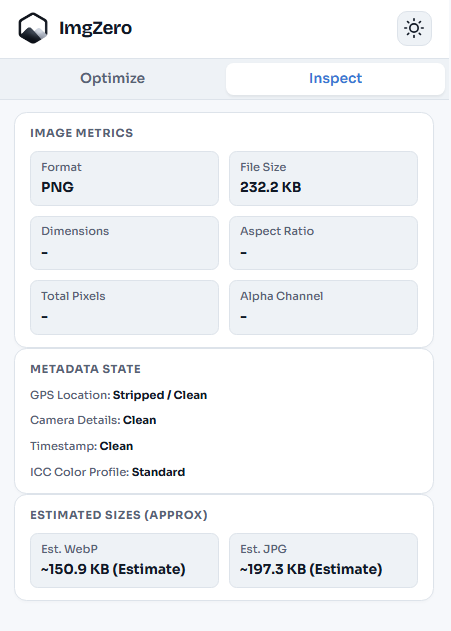
Powerful Image Tools Right in Your Context Menu
No need to navigate to external websites or upload files to third-party cloud tools. Everything happens seamlessly as you browse.
Context Menu Shortcut
Right-click any web image and instantly select 'Optimize with ImgZero' without downloading it manually first.
100% Local Browser Engine
Uses the same client-side WebAssembly & Canvas engine as the website. 0 bytes uploaded to any server.
EXIF & Metadata Stripper
Strip sensitive GPS location data, camera information, and timestamps with one toggle before saving images.
Page Images Batch Scanner
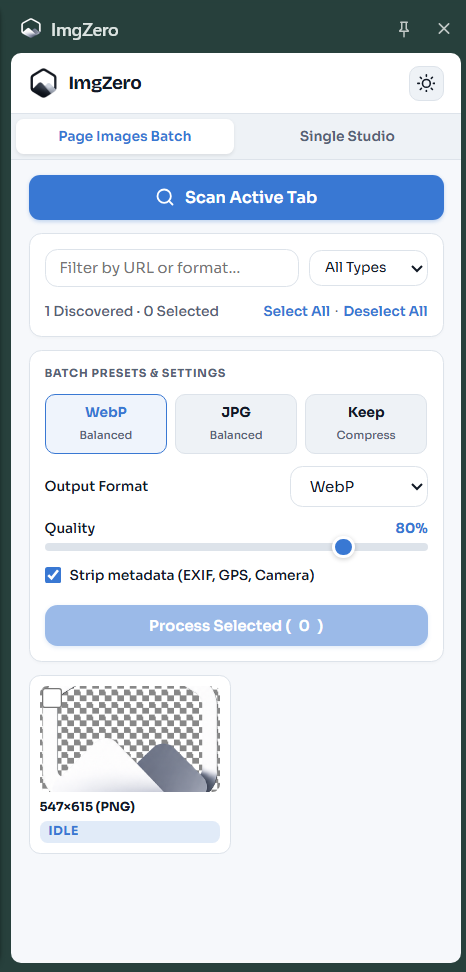
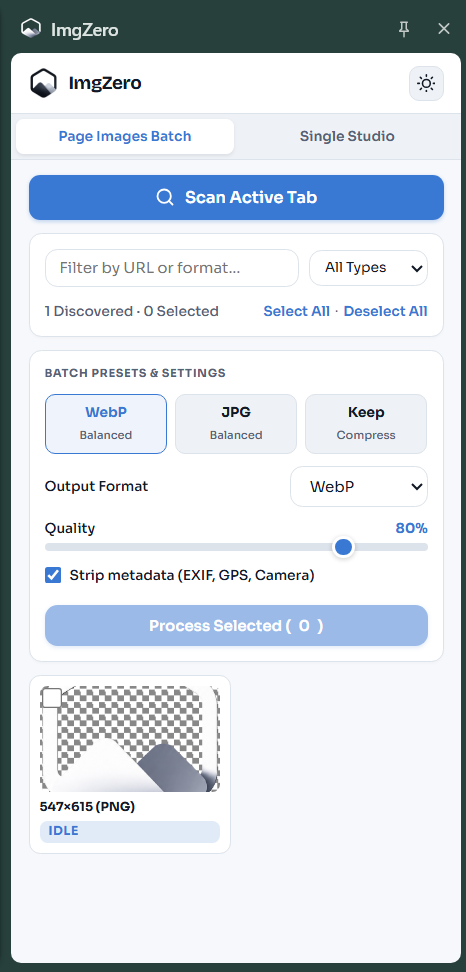
Open the Side Panel to scan all rendered images on the active tab, filter by format/URL, and batch optimize.
One-Click Format Conversion & Size Reduction
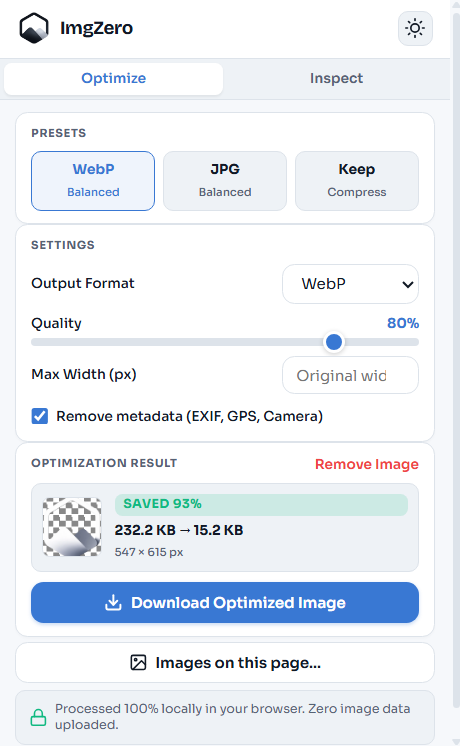
Right-click any web image and open the ImgZero quick popup. Choose from presets like WebP Balanced, JPG Balanced, or Keep Format. Customize quality, max width, and remove EXIF metadata.
- Real-time byte savings breakdown (e.g. 232 KB → 15.2 KB, SAVED 93%)
- Automatic EXIF, GPS, & Camera metadata stripping
- Direct 1-click download of optimized output file
Inspect Image Metrics & Metadata State
Switch to the Inspect tab to analyze any image on the web. View format, file size, dimensions, aspect ratio, alpha channel status, and EXIF privacy fields.
- Verify GPS Location status (Stripped / Clean)
- Camera details, timestamps, and ICC color profile state
- Estimated WebP and JPG output file sizes before conversion
Scan & Batch-Optimize All Images on Active Tab
Click Images on this page... to launch the Side Panel scanner. Automatically discover rendered images on your active web page, filter by format or URL string, multi-select files, apply a shared output preset, and batch-optimize them in background Web Workers.
- Deduplicates image URLs from active tab without remote crawling
- Multi-select discovered images with format & dimension previews
- Download individual optimized outputs or stream as a client-side ZIP
How to Use the Extension in 3 Steps
Install Extension
Add the ImgZero extension to Chrome or Edge from the Web Store (going live soon). Pin it to your toolbar.
Right-Click Any Image
Right-click any web image and click "Optimize with ImgZero" to open the popup or inspect metrics.
Convert & Download
Select output format (WebP/JPG), adjust quality, strip EXIF metadata, and download instant optimized results.
Frequently Asked Questions
Ready for local image tools in your browser?
Try our web tools right now or stay tuned for our official Chrome Extension release!